





Description
Technical data
| Brand | Victron Energy |
|---|---|
| Model | VE.Bus Smart dongle |
| Order code | ASS030537010 |
| Type | Bluetooth accessory for inverter/chargers and inverters with a VE.Bus port |
| Operating input voltage range (Vbat) | 8–70 V DC |
| Current draw @ 12 V, Bluetooth not connected, VE.Bus connected | not joining a VE.Smart network: < 6 mA; joining a VE.Smart network: < 9 mA |
| Current draw @ 12 V, Bluetooth connected to VictronConnect, VE.Bus connected | not joining a VE.Smart network: < 7 mA; joining a VE.Smart network: < 9 mA |
| Measured quantities | battery temperature and battery voltage |
| Temperature sensor | built-in; optionally an external temperature sensor for the BMV-712 Smart and BMV-702 (not included) |
| Inverter/charger control | on, off, charger only; AC input current limit adjustment (inverter/charger firmware xxxx419 or higher) |
| Inverter/charger monitoring | AC and DC parameters, device status, warnings and alarms, Instant Readout in the VictronConnect app |
| Supported setups | single unit, parallel and/or three-phase setup of inverter/chargers |
| Communication port to the inverter/charger | VE.Bus, RJ45 socket (RJ45 UTP cable purchased separately) |
| Wireless communication | Bluetooth, VictronConnect app |
|---|---|
| Communication protocol | VE.Bus |
| VE.Smart Networking | yes, transmits battery temperature and voltage to the network |
| Compatibility | Victron inverter/chargers and inverters with a VE.Bus port; inverter/charger firmware at least xxxx415, full functionality from xxxx419 |
| System with a GX device | the GX device has priority; data from a CAN-bus battery (smart battery) overrides the dongle data |
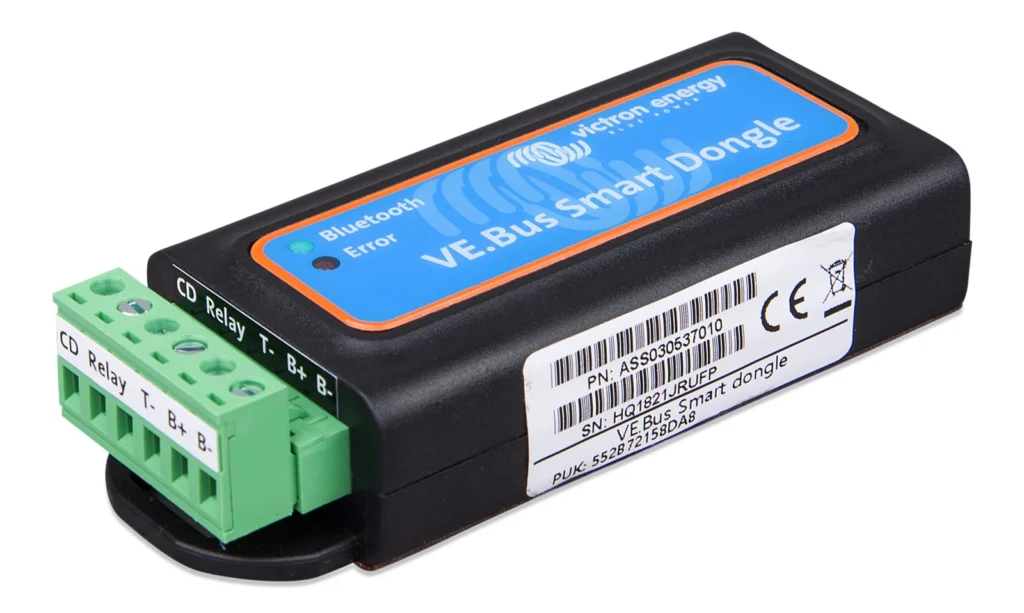
| Connection terminals | removable terminal block with screw terminals (B+, B−, T−) |
| Material and colour | ABS, matt black |
| IP rating | IP20 |
| Operating temperature | −20 to +50 °C |
| Humidity | max. 95 % (non-condensing) |
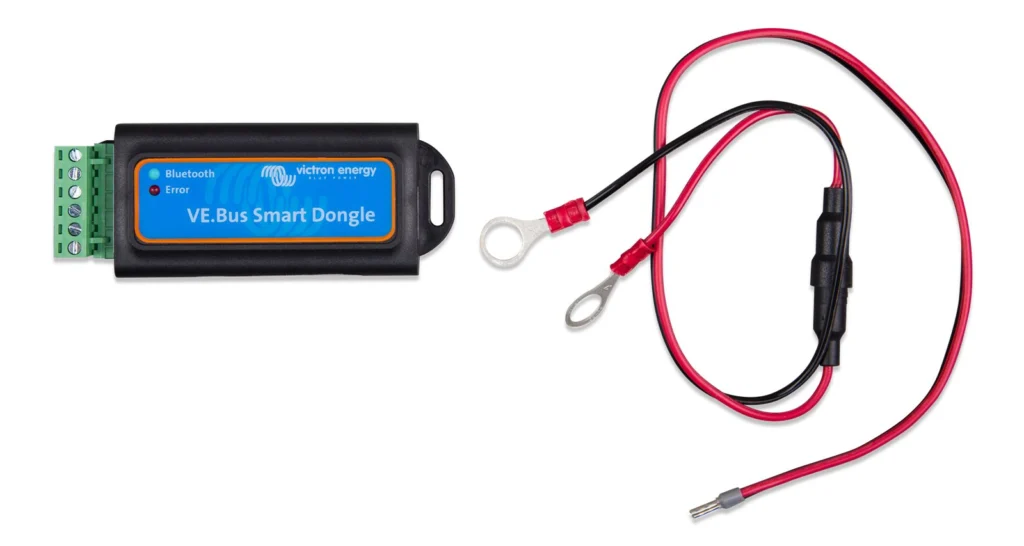
| Package contents | VE.Bus Smart dongle; removable terminal block with screw terminals; black battery (−) wire with 10 mm eye terminal; red battery (+) wire with 10 mm eye terminal and inline fuse |
| Not in the box | RJ45 UTP cable; temperature sensor for the BMV-712 Smart and BMV-702 |
| Standards | Directive 2014/53/EU (RED); UK PSTI |
What the VE.Bus Smart dongle is for
The VE.Bus Smart dongle is a Bluetooth accessory for Victron Energy inverter/chargers and inverters that have a VE.Bus port. Once connected to the inverter/charger with a cable, it lets you control and monitor the unit from a phone in the VictronConnect app, without having to stand at the device with a cable and a computer.
The dongle has two roles: it is a Bluetooth interface to the inverter/charger and at the same time a battery temperature and voltage sensor. Both functions can be used together. The dongle can be connected to a single unit as well as to inverter/chargers set up in parallel or in three phases.
Control and monitoring in the VictronConnect app
On the overview page in the VictronConnect app the inverter/charger can be switched on, off or to charger-only mode, and the AC input current limit can be set. Battery voltage, current and temperature and the device status are also shown. The detailed page shows further AC and DC parameters, warnings and alarms.
Instant Readout is included: the most important inverter/charger data is displayed directly in the device list, without connecting to the unit, including visual notification of warnings, alarms and errors. Changing the AC input current limit needs inverter/charger firmware xxxx419 or higher; the basic functions need xxxx415 or higher. If a Digital Multi Control panel (DMC) or a VE.Bus BMS is connected to the system, it takes over the on/off/charger-only control and the dongle can only monitor.
Battery temperature and voltage sensor
The dongle measures battery temperature and voltage. The temperature allows the inverter/charger, or charge sources connected to VE.Smart Networking, to adjust the charge voltage to compensate for battery temperature. The voltage measurement allows compensating the cable voltage losses that occur during charging. For temperature sensing the dongle is stuck onto the top or the side of the battery with its adhesive mounting.
Instead of the built-in sensor an external temperature sensor for the BMV-712 Smart and BMV-702 can be used, purchased separately. An inverter/charger connected to a GX device and a CAN-bus battery (smart battery) does not use the dongle measurements, because the data from the smart battery takes priority.
Use in a system with a GX device and ESS
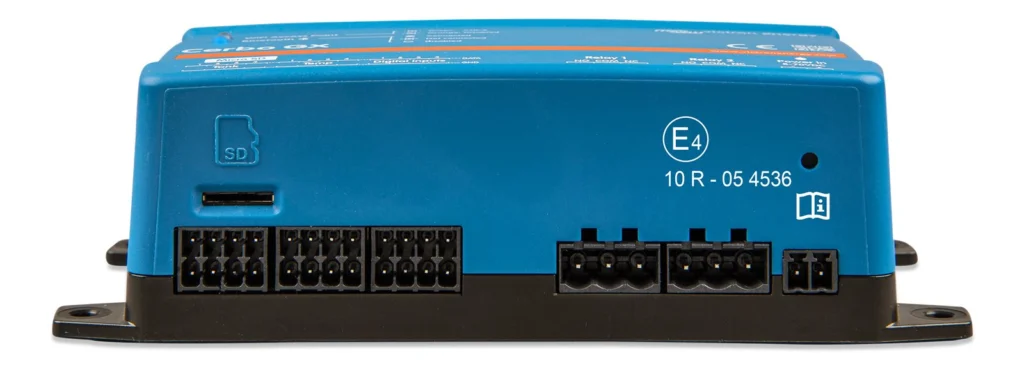
The dongle can also be used in systems with an inverter/charger and a GX device, for example a Cerbo GX. The GX device has priority and should always be able to access all data. When power is applied, the dongle monitors the VE.Bus communication for 30 seconds: if no GX device is detected it switches to primary mode, and as soon as a GX device is detected it switches to background mode. After power-on or a reset it takes around 4 minutes to decide whether to transmit battery temperature and voltage.
Due to restrictions in the VE.Bus protocol only one device can access inverter/charger data at a time. When connecting the VictronConnect app to the dongle while a GX device is connected, only battery temperature and voltage and the inverter/charger state are shown, without the AC voltage, current and power readings. In systems with a GX device and a CAN-bus battery (smart battery) the system uses the battery data and the dongle provides information only in the app.
VE.Smart Networking
The dongle supports VE.Smart Networking. As a member of the network it can transmit battery temperature and voltage to other Victron devices in the network, for example solar chargers, so that they adjust their charge voltage. The network is created or joined in the dongle settings in the VictronConnect app (item VE.Smart Networking). Membership is indicated by a symbol on the overview page.
The dongle can also be used without being connected to an inverter/charger. In that case it works only as a voltage and temperature sensor for battery monitoring in VE.Smart Networking, and is listed in the device list as a VE.Bus Smart dongle.
Connection and installation in general
The dongle is powered from the battery with the supplied wires: the red wire with a fuse to the positive pole, the black one to the negative pole, both on the removable terminal block. The connection to the inverter/charger is made with an RJ45 UTP cable, which is not in the box and is purchased separately. The terminals marked CD and Relay on the terminal block have no function.
When an external temperature sensor is used, the red wire from the box is not used; the red wire of the sensor replaces it. The dongle is mounted with its adhesive on the battery where it is to measure temperature, or, if temperature is not measured, near the battery with adhesive or screws. Installation and wiring belong to a suitably qualified person.
Status and LED signalling
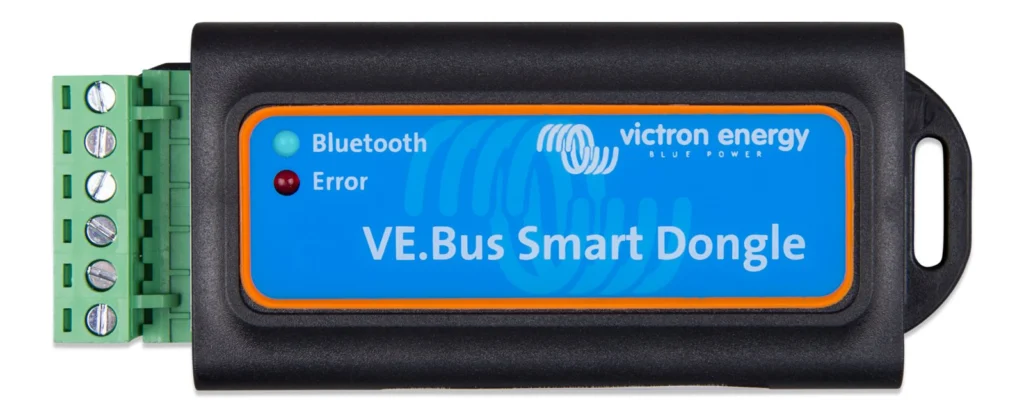
The state of the dongle is shown by a blue and a red LED. A slowly blinking blue LED with the red one off means the dongle is operational and ready to connect to the VictronConnect app; a steady blue LED means the app is connected. Both LEDs off show that the dongle is not powered, and the fuse and the wires to the battery should be checked. Alternating or fast blinking signals a firmware update; both LEDs steadily on report a hardware error.
On first connection and for firmware updates, the VictronConnect app offers to update the dongle. Before use it is advisable to bring the firmware of the dongle, the inverter/charger and the app itself up to date.
What the dongle does not do
The VE.Bus Smart dongle cannot configure the inverter/charger or update its firmware. For configuration and firmware updates of the unit, a VE.Bus interface (for example the MK3-USB) and the VictronConnect guide for VE.Bus products are used. The dongle is meant for everyday control, monitoring and battery measurement.
The dongle can be used with a DMC panel and with a VE.Bus BMS, but the on/off/charger-only control then belongs to that device. If full dongle functionality is required, the manual refers to using a VE.Bus BMS V2.
AI search description
The Victron Energy VE.Bus Smart dongle (order code ASS030537010) is a Bluetooth accessory for Victron inverter/chargers and inverters with a VE.Bus port. In the VictronConnect app it allows switching on, off, selecting charger-only mode, setting the AC input current limit and monitoring AC and DC values. It measures battery temperature and voltage and transmits them to VE.Smart Networking. Supply 8–70 V DC, current draw below 9 mA at 12 V, IP20, operating temperature −20 to +50 °C. It cannot configure the inverter/charger or update its firmware. An RJ45 UTP cable is not included.
Product page: https://batterado.com/product/victron-ve-bus-smart-dongle/

Reviews
There are no reviews yet.